★ A Gravity Snap Partners program

Stop Typing. Start Shooting.

Cut weekend prep from hours to minutes.

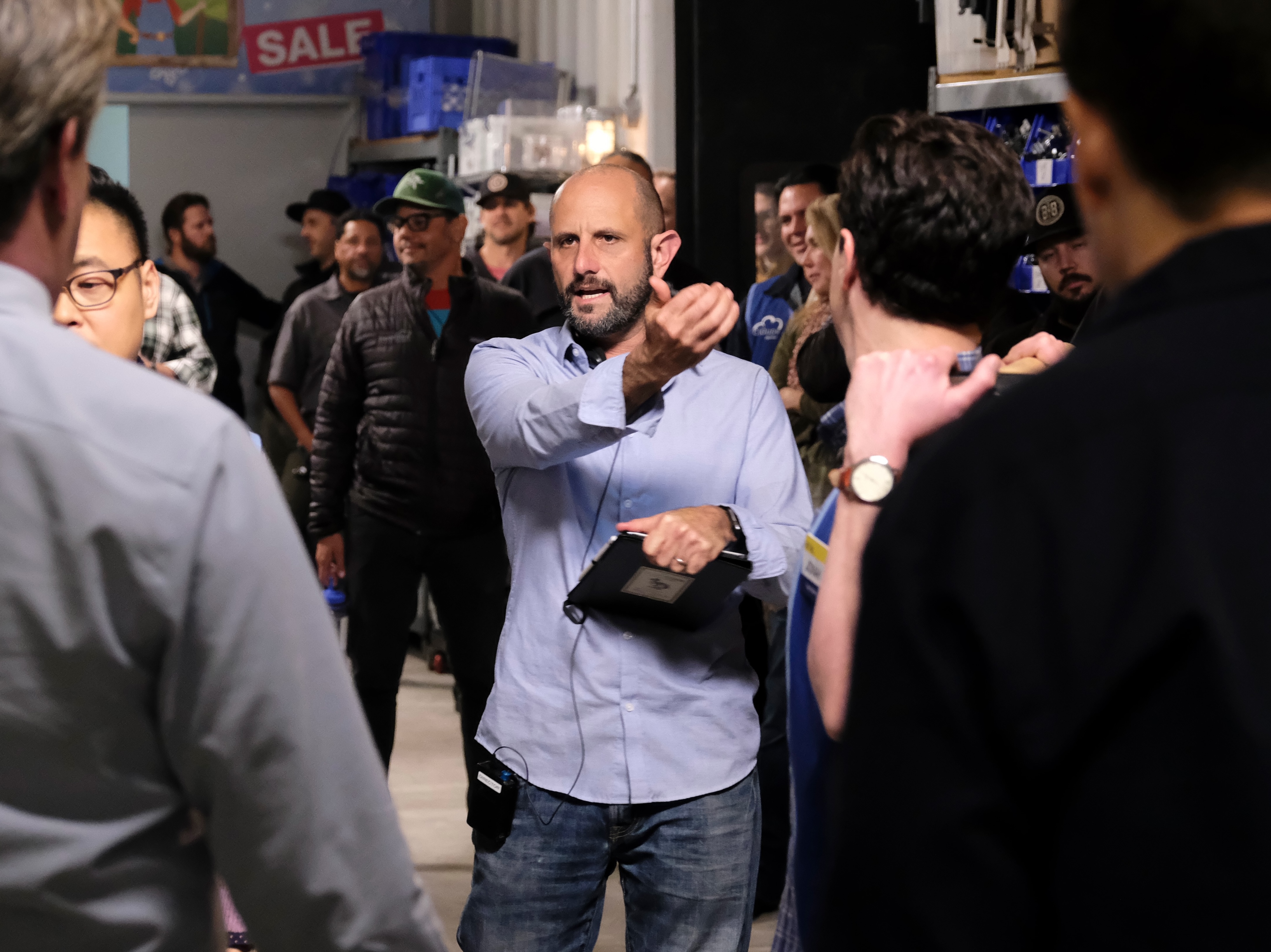
Drop in your shooting schedule and crew list PDFs. Call Sheet Commander pulls in every scene, cast member, crew name, and element to generate all the call sheets for your entire project. Then design, set times, and move scenes the way you want.

Sample call sheet from Call Sheet Commander
↳ Imports from Movie Magic Shamel Studio MOST MAJOR SCHEDULING PROGRAMS
01
FEATURES

A Call Sheet Program A Spreadsheet.

Speed.

  • Import a shooting schedule PDF, get a populated call sheet. Works with all major scheduling program formats.
  • New shooting schedule? Upon import, the program flags all changes when updating all the call sheets.
  • Import a crew list PDF. Auto-fills department crew tables.
  • Import a DOOD PDF. Per-actor SAG status by day.

Customization.

  • Five built-in header styles and all are fully editable. Swap any time without losing content.
  • Upload show logos. Adjust page size, density, and section sizing for perfect printouts.
  • Prelim, official, and revision watermarks and the ability to lock versions to track what's changed.

Power.

  • Drag and drop scenes into different orders or different days; all the cast and elements follow.
  • Call times auto-populate cast and crew, with custom, linked precalls. It's never been easier to push the call.
  • Set and Display Times to show the day's timeline, estimated lunch break and wrap times.

Fun Stuff.

  • Draggable icons. Easy to upload your own.
  • Weather and sunrise / sunset auto-lookup based on location.
  • Preppy. Built-in AI assistant powered by Claude. Ask for layout changes, build sections conversationally, get a quick summary of any imported schedule.Preppy
02
vs. Excel
02

Call Sheet Commander vs. Excel.

Built for how 2nd ADs actually work. Fast, mobile, schedule-aware.
No formulas to maintain, no template to inherit, no late-night call sheet prep.

Feature
Call Sheet Commander
Excel
01Built specifically for call sheets
02Instant Shooting Schedule Import
03Import Cast DOOD
04Import Crew List
05Drag-and-Drop scenes between days along with all their elements
06Dynamically adjusting timeline showing lunch and estimated wrap
07Track changes between shooting schedule drafts
08AI Assistant to set precalls or make quick changes
09A suite of beautiful, completely editable headers
Try Free →
14-day Pro trial · No card required
03
PRICING
03

Pricing.

FREE
$0/forever
Includes 14-day Pro trial
  • 1 active project
  • Schedule PDF auto-import
  • Drag-and-drop scenes to new days - all elements follow
  • Preppy AI assistant
  • Custom Call Sheet Template Designer
  • Dynamic Timeline including lunch and estimated wrap
  • Link call times to individual and department precalls
  • PDFs include "Made with Call Sheet Commander" footer
Get started free →
★ LIMITED · FIRST 25
LIFETIME
$249/once
Pro features, forever
One-time payment, no renewals
  • Everything in Pro
  • No subscription, ever
  • All future updates included
  • Founding Member status, recognized in-app
  • Priority support
Lock in lifetime →

Every signup includes a 14-day Pro trial. No card required. 30-day no-questions refund on any paid plan.

Lifetime is a limited-time offer for our first 25 supporters.

04
FAQ

FAQ.

Q · 01+

What is Call Sheet Commander?

A web app that takes a shooting schedule PDF and gives you back an editable, populated call sheet for every day of the shoot. Drag scenes, swap cast, push call times. The sheet follows. Built by a DGA AD tired of unnecessary, time-consuming data entry.

Q · 02+

What scheduling programs can I import from?

Movie Magic, Shamel Studio, and most major scheduling programs. The parser handles weird formatting, multi-location days, episodic shows, and the standard variations across all of them.

Q · 03+

How fast is the actual import?

About 10 seconds (not even time to grab a coffee). The parser pulls cast, locations, times, and departments while you watch. You spend the rest of the time on the parts that need your eyes: adjustments, precalls, notes. Not retyping what the schedule already says.

Q · 04+

What happens when production sends a revised schedule?

Re-import it. Pro shows you exactly what changed between versions. New scenes, dropped scenes, moved days, cast swaps. You decide what to apply and what to keep, and your edits don't get wiped.

Q · 05+

What's in Pro versus Free?

Free is one active project, the full editor, Preppy the AI assistant, and a "Made with Call Sheet Commander" footer on the PDFs. Pro is unlimited projects, crew list and DOOD auto-import, schedule revision tracking, and clean PDFs. $19/mo or $179/yr, and every signup starts with 14 days of Pro to try it.

SECURITY · 06+

Where does my call sheet data actually live?

In storage attached to your account, not a shared public database. Each production gets its own URL and its own storage space.

SECURITY · 07+

Who can see my call sheets?

You, and the people you choose to send the PDF to. Call sheets are private inside your account by default. No public search, no shared admin view, no employee browse access.

SECURITY · 08+

Does Preppy (the AI) train on my data?

No. Preppy is powered by Claude and only reads what's in your sheet to answer your question in the moment. Your call sheets are never used to train a model.

SECURITY · 09+

What about cast names, contracts, or NDA-bound material?

Treated the same as everything else in the sheet. Encrypted in transit, never sold, never shared with third parties, never used for training. If your production has a specific data-handling requirement (pre-release IP, talent protections, finished-screen embargoes), email support@gravitysnappartners.com and we'll talk through whether the current tier is the right fit or whether to wait for the enterprise tier.

SECURITY · 10+

Can I export or delete my data?

Yes to both. PDFs export from any project anytime. Projects delete from inside the app. To wipe the account entirely, email support@gravitysnappartners.com and we'll remove your account and everything tied to it within the standard processing window.
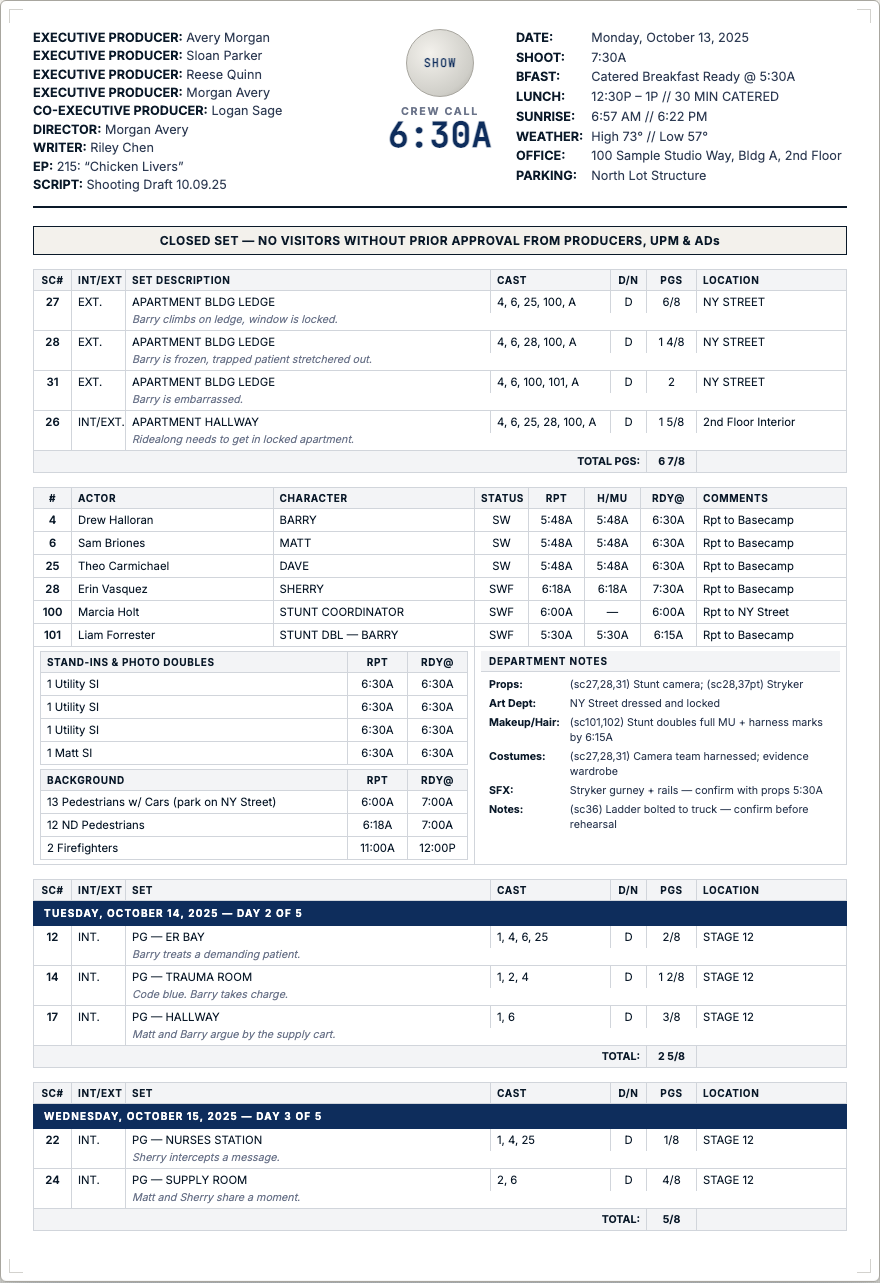

Ross Novie
★ FROM THE CREATOR

Ross Novie.

DGA Director and First AD with 20+ years on films, television shows, and commercials of every budget level.

Founder of Gravity Snap Partners, an AI-focused company. We consult with industry professionals and build production tools that help filmmakers work faster and easier.

Read the full bio →